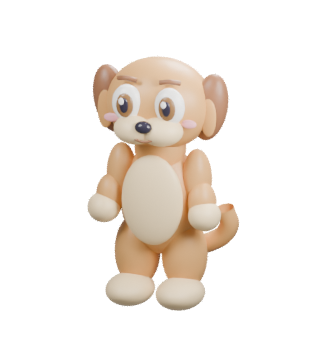
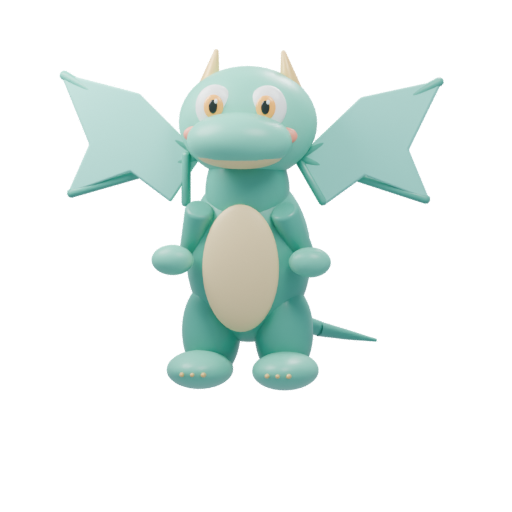
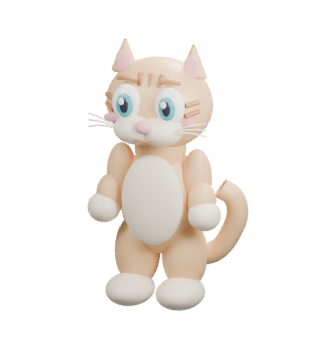
Your child grows a virtual pet by playing math and word games. You choose the learning priorities and difficulty, and see what they practiced. Try a game before creating an account.
Trying it on the same device? With a new child profile, you can keep your demo pet after parent setup if this browser has no existing connected pet. Learning reports start after setup.
Meet Pipalo in 40 seconds Play, connect, and explore the parent appRead the video walkthrough in English
The video starts with 20 seconds of actual English math and clinic gameplay shown at double speed. Start on the parent's device: sign in to Pipalo for parents with an email code and create a profile with a nickname and age group. Get a code and enter it in Pipalo for children on the child's device. The child chooses a pet, watches it hatch, and arrives in the living room. The parent chooses games, levels, and priorities, and follows progress.
Your child does not need an account or email address.
Know a family who would enjoy Pipalo?
Send them the free demo. No account needed to try it.
Copy this link: https://playpipalo.com/?utm_source=social&utm_campaign=free-play
Parents: what would make Pipalo better for you?
Choose the closest reason. Please do not include any personal information.
Meet the games
Learning games with a virtual pet friend
Choose a pet, explore its rooms, and complete little adventures together.
Math
Numbers in motion
Match numbers in Number Tower, steer toward an answer in Treasure River, or practice arithmetic. Different activities give children different ways to play with quantities and numbers.
Letters, words, and listening
Hear it, find it, play it
Find letters in Letter Bubbles, move the truck toward the picture you hear in Word Delivery, and explore first sounds, rhymes, and word building.
Thinking and memory
Match, remember, and discover
Drag pieces into matching spaces in Shape Workshop, look for a missing friend, and complete patterns. Pictures turn each task into something children can explore.
Feelings and friendship
A little care for a friend
Choose a tool and care for a character in Friends Clinic, or explore feelings in Help a Friend. These playful activities offer moments to talk together about caring for others.
A friend to come back to
Play, care, and watch your pet grow
Your child chooses a virtual pet, visits its rooms, and dresses it up. Completed learning adventures contribute to the pet's growth, connecting game time with the friend they care for.
A separate space for parents
Use the parent app to choose learning preferences and review recorded activity. Connect your child's device with a code so play can be linked to their profile.
Start with a free demo, then set up the parent and child connection when you are ready.
Is Pipalo free to play?
Yes. Pipalo is currently free to play, and no payment details are needed.
Can we try a game without an account?
Yes. The demo opens without an email address or connection code. For connected play and the parent app, a parent signs in and creates a child profile.
How do parents sign in?
Enter your email address in the parent app and use the one-time code sent to your inbox. You do not need a ChatGPT account. Your child connects with a code from the parent app and does not need an email address.
Do we need to download an app?
No app store download is needed. Open Pipalo in a browser on a tablet, phone, or computer. You can also add the parent or child app to the device's home screen.
Will our demo pet be saved?
The demo is saved in this browser on this device. Clearing site data or using a private browsing window can remove it. When you create a new child profile on this device, the parent app can carry over the demo pet if there is no existing connected pet. Practice reports begin after setup.
Can we play on a different device?
Open the parent app, choose your child, and get a connection code. Enter it in the children’s app on the other device. Demo progress is local to the browser where you tried it.
What if we cannot hear the instructions?
Tap the game’s sound button, check the device volume, and make sure the browser tab is not muted. Available voices depend on the device. Try opening the link in Chrome or Safari rather than inside an email or social app.
Does my child need to read the instructions?
The games use pictures and include a button to hear instructions when speech is supported by the browser. A parent can help with the first game; spoken voices depend on the device and browser.
Next time, just tap the icon
Add to your home screen
After opening the parent or children's app, add it to the home screen on the right device. No app store needed.
Galaxy and Android Chrome
In the app you opened, tap the three-dot menu ⋮ and choose Add to Home screen or Install app. Confirm to add it.
iPhone and iPad Safari
Open the app in Safari, tap Share, choose Add to Home Screen, and confirm.
Opened a link inside another app? Choose “Open in browser” first. On a computer, you can simply use the website.
↗
Close it and come back when you like. The connection stays saved on your device after you close the website. You do not need to leave it open.
Simple, private usage measurement
We count visits, sign-ins and game activity to improve Pipalo. Measurement stays on our own site: no advertising trackers, names or email addresses are sent by the measurement script. We record approximate network country (from edge metadata or a country-only hint read by your browser from our hosting provider on this domain), broad device, operating system and browser categories, and a classified source (such as Instagram or Google) when available. We do not retain IP addresses, raw browser headers or full referring URLs in these measurement records. Only visits to parent pages with a verified parent session can be associated with that parent account in our private admin report; child-page measurement remains unlinked to parent identity. A random tab-session identifier lasts up to 30 minutes; its hashed activity records are removed on the next measurement or summary request after seven days. We also estimate active time while the page is visible, stopping after a minute without interaction, compare two homepage headlines, and accept optional fixed-choice parent feedback. These anonymous visit records are kept for up to seven days. Aggregate totals may be kept longer. If you arrive through a personal outreach link, visits and active time on the website and parent pages may be associated with that invitation for seven days. This does not identify who used a forwarded link, and is not linked to children’s game histories. We respect browser Do Not Track and Global Privacy Control settings.